A home lab of NTP time servers
It's About Time
We have a thing about accurate time. We're the ones who set our quartz watches by calling the U.S. Naval Observatory at +1 (202) 762-1401, listened to WWV on the shortwave, and noticed New Year's on TV was several seconds after our own clocks hit midnight.
Now we measure time to the millionths, if not billionths, of a second. Here you can compare performance data of our Network Time Protocol time servers and check on some NTP clocks and Swiss watches in our collection.
See the live reports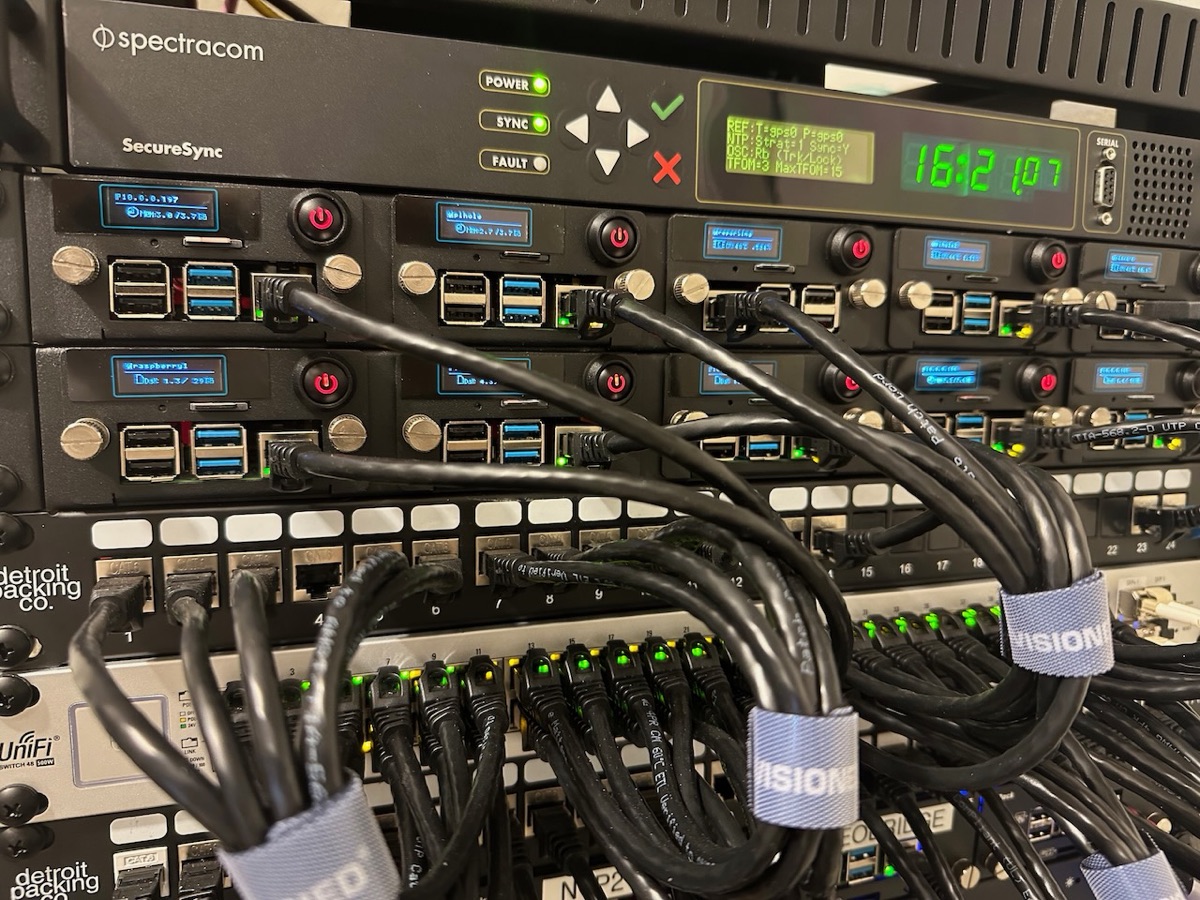
Accuracy Beyond One Microsecond
At this point, all of our servers are more accurate than one millionth of a second (one microsecond), but how does our DIY Raspberry Pi Stratum 1 time server's performance compare to an atomic clock?
First off, although they're presumably exceptionally precise (reporting to billionths of a second), all of our servers depend on GNSS Time Transfer. The U.S. government's GPS performance standard promises that GPS time is “only” within 30 billionths of a second (30 nanoseconds) of UTC, 95% of the time. (Before its 2020 edition the promise was 40 nanoseconds.) Given other limitations in my setup, I believe my equipment's ability to record accurate time is “only” within 100 billionths of a second (100 nanoseconds) and our precision over twenty-four hours is around five nanoseconds.
With that caveat, the answer is the RPi does okay, so long as it maintains a GNSS connection and does not have other workloads.
As noted elsewhere on this page, I made a Raspberry Pi time server for about $100. I am fortunate to have a vintage 2016 Spectracom SecureSync Time and Frequency Reference System (Spectracom became Orolia, and is now part of Safran) with rubidium oscillator and thought it would be fun to compare the two. The SecureSync is a real atomic clock. With GPS, Safran rates the rubidium model at ±15 billionths of a second (15 nanoseconds) from UTC. Without GPS, it is rated to stay within one millionth of a second (one microsecond) after a full day on its own. That ability to keep accurate time without external corrections is why it earns its price. When I wrote this page it listed at about $9,000; today Safran won't even tell you without a sales call, which is never a good sign for your kidneys. Fortunately, I got ours used at a substantial discount.
And to be clear, NTP server is just one of the SecureSync's functions. Most of its precision timing capabilities are out of scope for this discussion, but...
Nirvana! Estimated Frequency Error Better than One Billionth of a Second!
And here we are! Our Spectracom SecureSync claims to be accurate to better than one nanosecond (one billionth of a second)! It's true: when the stars (GNSS satellites) align for long enough, we're able to get very accurate frequency (a pulse every second to within a billionth of a second).
To get this accuracy, it's all about a clear skyview for the GNSS antenna that gives it the best geometry for accurate time transfer. That and a very stable oscillator that is able to incorporate the GNSS messages over time and average and interpolate them into this occasional epic accuracy.
My biggest impediment to stability is keeping the crystals at the same temperature. We don't have a climate-controlled server room, so even a few degrees of temperature change can dramatically throw off our accuracy for hours as the crystals are recalibrated.
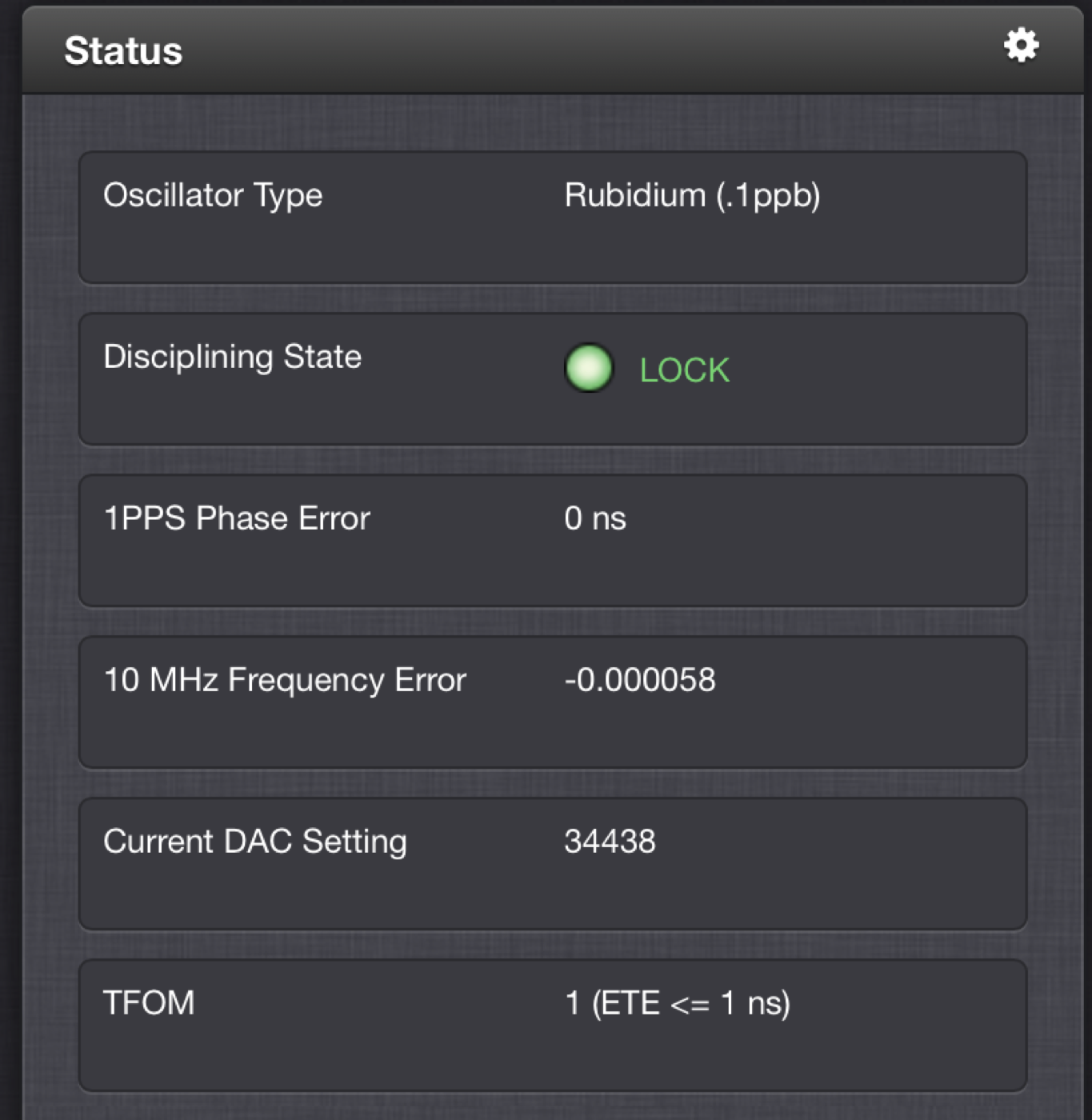
(Yes, I am aware that this precision is well beyond the accuracy our systems can obtain.)
The reality is that the world's most authoritative clocks don't have the exact same frequency and time either and vary substantially with each other by tens of nanoseconds.
What happens without GNSS
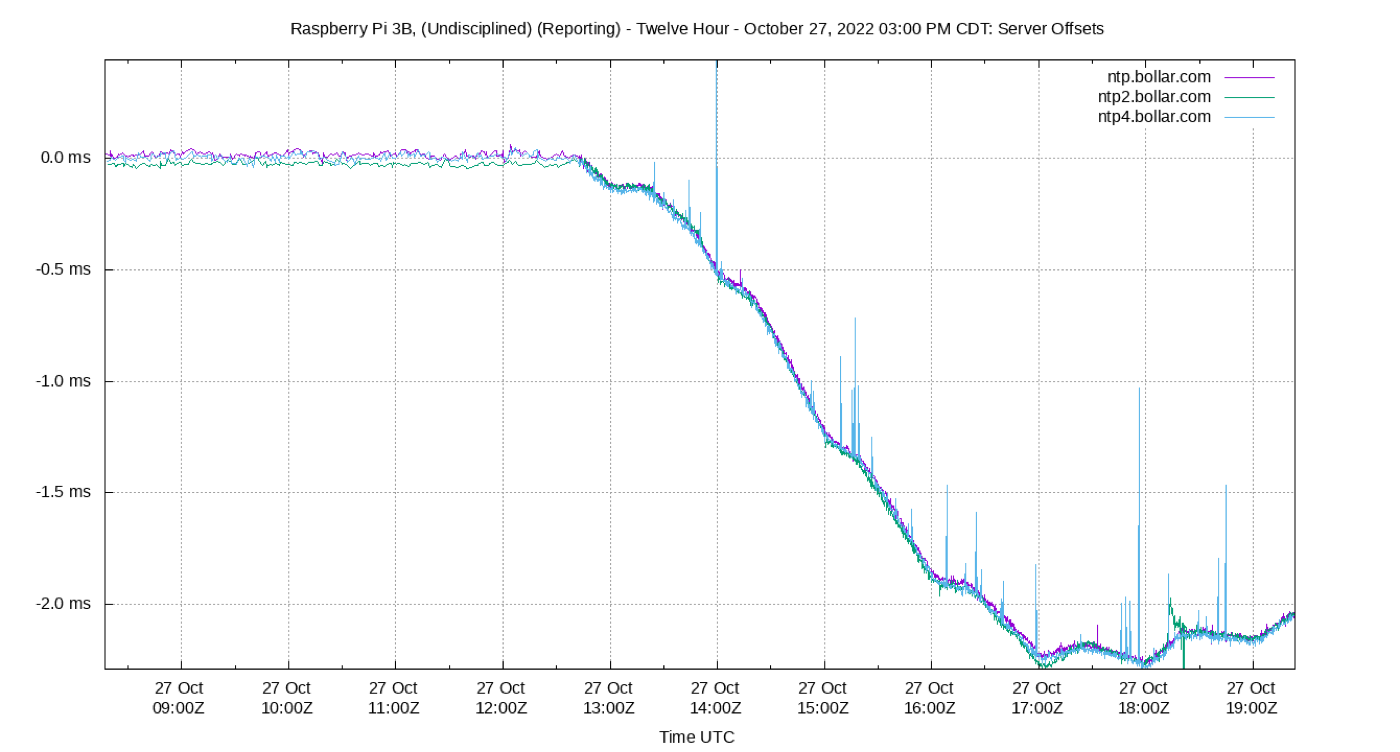
Check out these graphs, from an experiment in 2022. We removed GNSS discipline from a Raspberry Pi about 2½ hours into the plot. Since the RPi doesn't have a real-time clock, it immediately loses about two thousandths of a second in three hours. Workloads and temperature changes affect this, so over the course of a year, the variance could be substantial (one site suggests several minutes). Over a similar period, the SecureSync has no visible accuracy loss (note the scales are different). The one thing we could tell from the SecureSync console is that Time Figure of Merit (TFOM) dropped from (10 nsec < ETE ≤ 100 nsec) to (1 μsec < ETE ≤ 10 μsec). ETE stands for Estimated Time Error and reflects the server's estimate of how far misaligned it is with its reference PPS signal.
So, how does the RPi do when there's a good GNSS signal?
It turns out the RPi does pretty well in maintaining accurate time under a load of under a hundred devices. The histogram typically shows 99% of readings within one microsecond, in a very even distribution. The SecureSync performs slightly worse as an NTP server, with 99% of the readings within about one-and-a-half microseconds. But look at its frequency jitter. It's only around 500 trillionths of a second (half a nanosecond, or 500×10-12)!
These six charts are live: the last three hours of NTP1, a Raspberry Pi 4 (top), and of the SecureSync (bottom).


Also note this exposed some jitter issues that I believe are on the Raspberry Pi side. Although the RPis' reports claim super accuracy, reports show more jitter and sometimes substantial offset on the NTP client. You can't really see this unless you have at least two servers that are clients of each other.
Two lessons from earlier machines
Jitter from an RPi 4 to RPi 3 downgrade
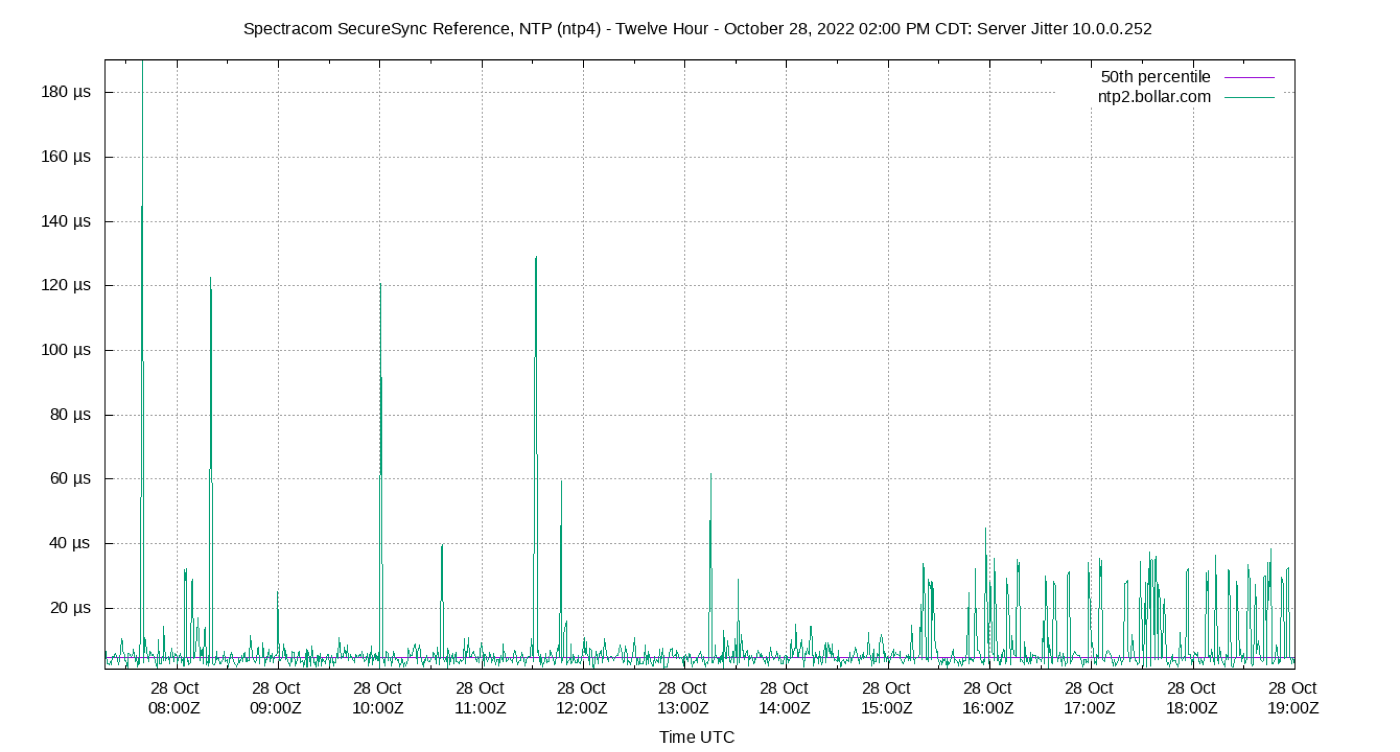
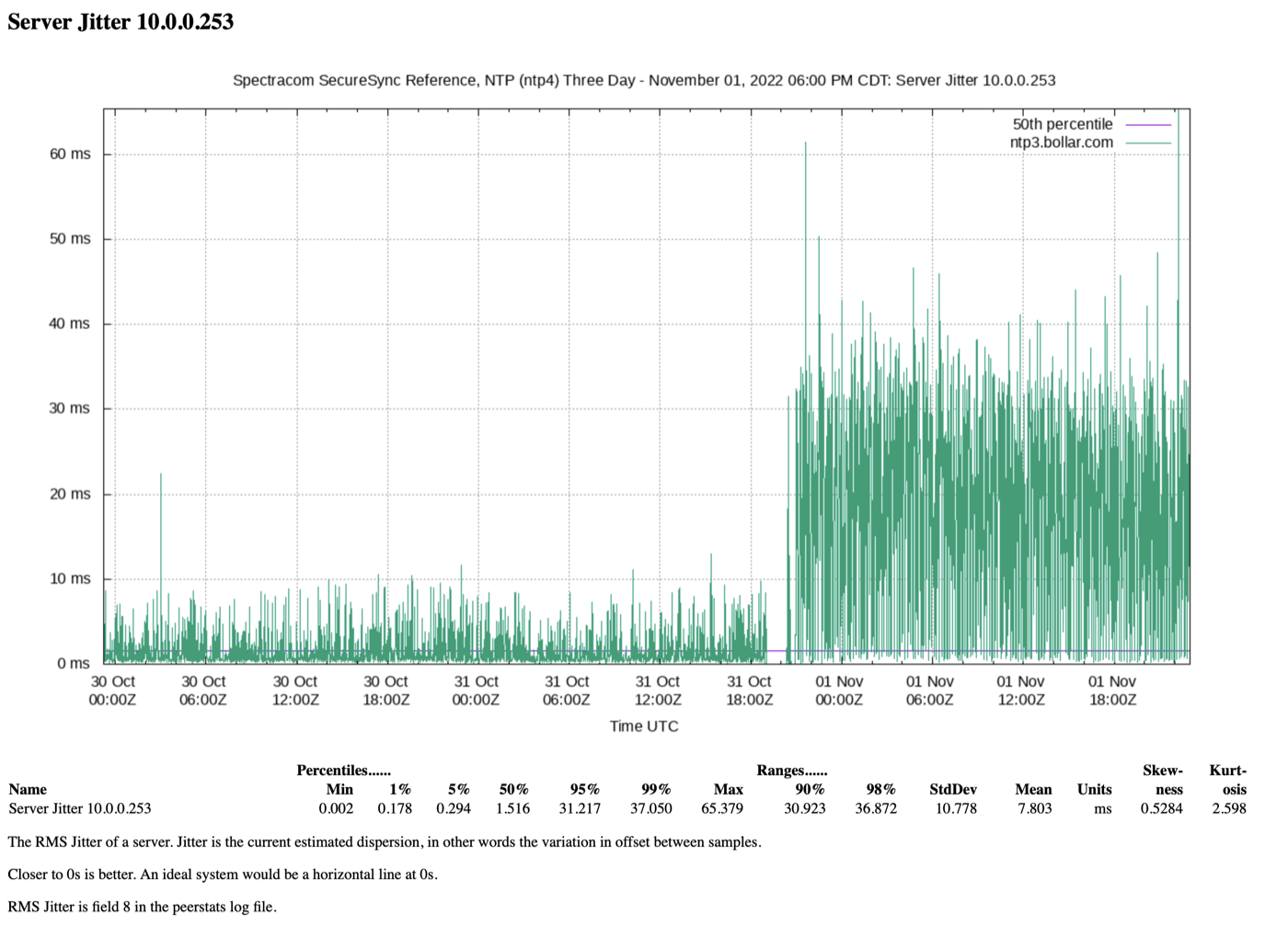
In 2022 we downgraded one server from a Raspberry Pi 4 to a Raspberry Pi 3. I was surprised that the jitter increased at least five times! We simply moved the GNSS HAT and SD card to the new Pi, so the software was identical.
Jitter from other loads on an RPi 4
A Pi we called Reporting ran Python jobs for the first 15 to 20 minutes of each hour. This caused the computer to heat up and added substantial time and frequency jitter.
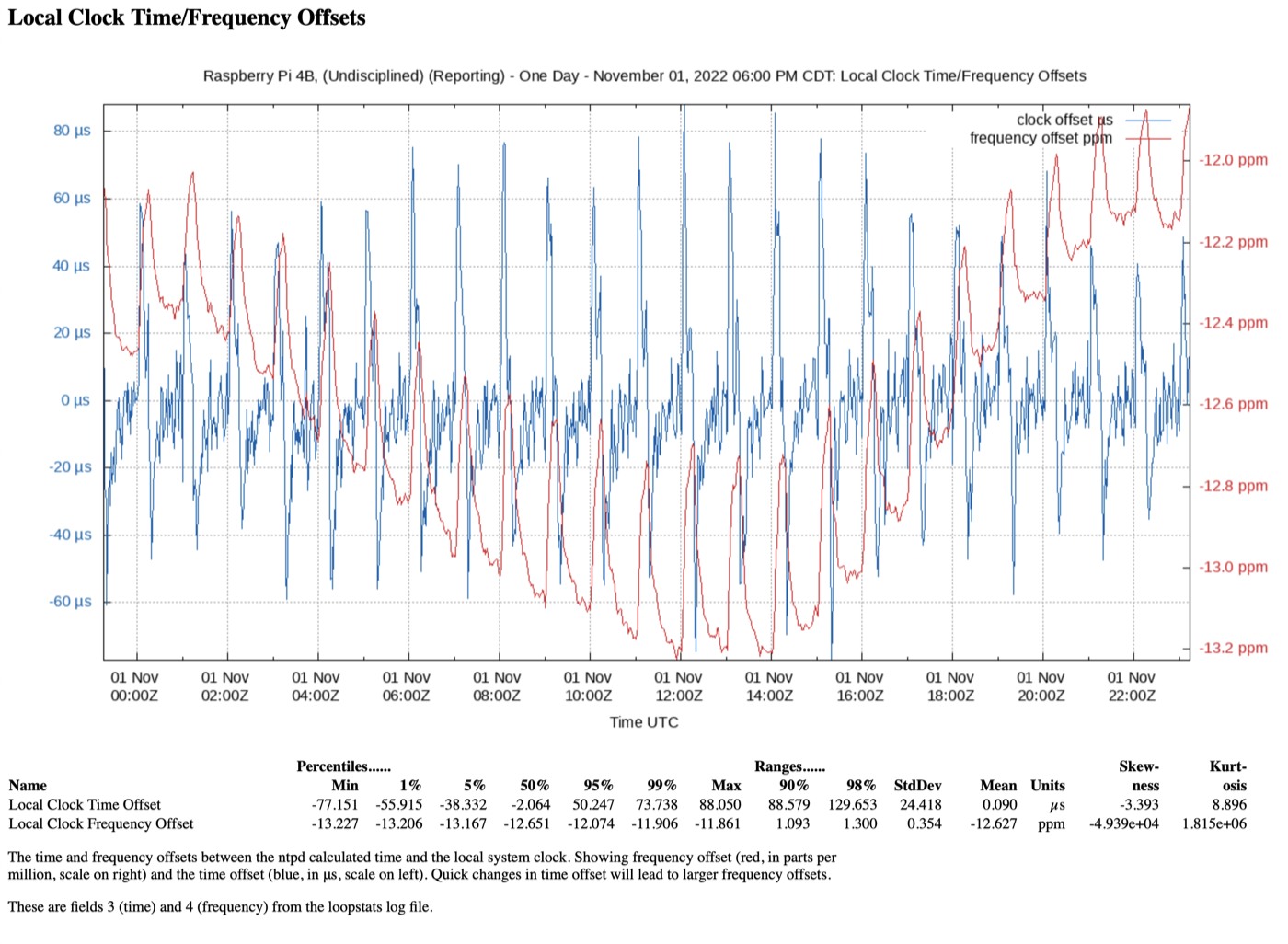
This is an important point. If you're doing this because you really care about accurate time, it's important that the RPi have as few other tasks as possible (including background tasks loaded as part of the standard RPi installation). In my experience, even copying a one megabyte file can make for substantial jitter and frequency error.
Our NTP Servers
Every chart here is drawn by NTPsec's ntpviz from each server's own statistics, and refreshed hourly (the 14- and 30-day reports, daily). The servers are also clients of one another, so each report shows what that server makes of the rest.
NTP1
Raspberry Pi 4B · Uputronics HAT, u-blox M8 · NTPsec · Stratum 1
Our primary GNSS server: a Raspberry Pi 4 with a Uputronics GPS/PPS HAT, running NTPsec and doing nothing else.
Generally, over twenty-four hours we expect 99% of the readings from this server to be within one microsecond (one millionth of a second).
ntpviz reports: 1 Hour3 Hour6 Hour12 Hour1 Day2 Day3 Day7 Day14 Day30 Day
What ntpq says right now
Loading…

NTP2
Raspberry Pi CM4 · our own HAT, u-blox ZED-F9T · NTPsec · Stratum 1
A Compute Module 4 carrying a HAT of our own with a u-blox ZED-F9T: a multi-band timing receiver that listens on more than one frequency, with its antenna's position surveyed.
ntpviz reports: 1 Hour3 Hour6 Hour12 Hour1 Day2 Day3 Day7 Day14 Day30 Day
What ntpq says right now
Loading…

NTP3
Raspberry Pi CM5 · TimeHat, u-blox LEA-M8T · NTPsec · Stratum 1
The experimental one: a Compute Module 5 with a TimeHat and a u-blox LEA-M8T timing receiver. When we want to try something, it is tried here first.
ntpviz reports: 1 Hour3 Hour6 Hour12 Hour1 Day2 Day3 Day7 Day14 Day30 Day
What ntpq says right now
Loading…

NTP4: a real atomic clock
Safran (Spectracom) SecureSync 1200 · rubidium oscillator · classic ntpd · Stratum 1
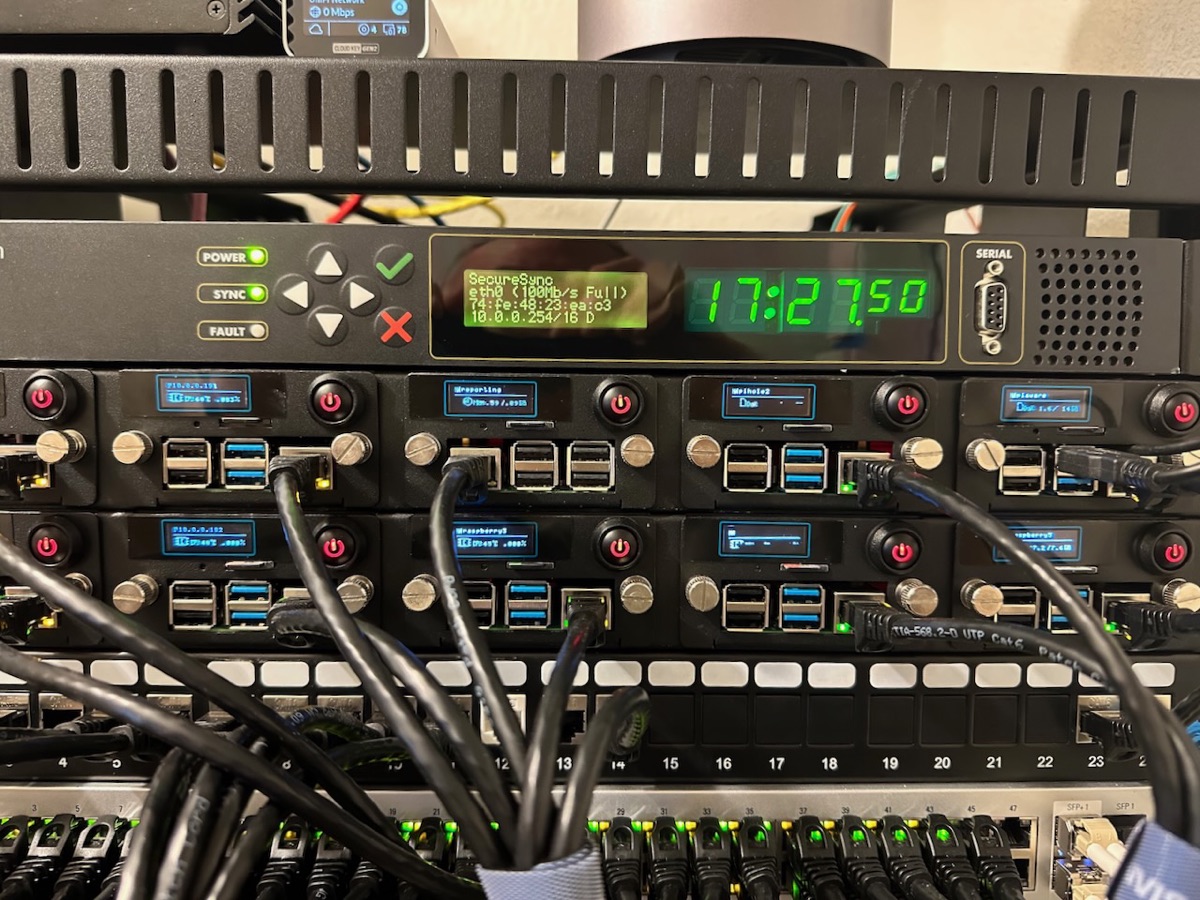
NTP4 is probably why you made it to this page. Here is our atomic clock, a SecureSync 1200 with a rubidium disciplined oscillator. This appliance is rated to stay within one microsecond (one millionth of a second) after twenty-four hours without a GNSS signal, but that's not exactly why we got it. We're interested to see what happens with a time source with an extremely low frequency jitter when the GNSS source is removed.
Generally, when there is a GNSS signal, we expect this server to be within a few billionths of a second of “true” time. And sometimes it reports it's within one nanosecond. For comparison, without a GNSS signal, our Raspberry Pi servers can expect to drift 450 microseconds (almost half a thousandth of a second) per day.
It also serves the public, as a member of the NTP Pool and as ntp.trueoffset.app, the reference server for TrueOffset.
ntpviz reports: 1 Hour3 Hour6 Hour12 Hour1 Day2 Day3 Day7 Day14 Day30 Day
What ntpq says right now
Loading…

NTP5
Raspberry Pi 3B+ · Uputronics HAT, u-blox MAX-M8Q · Stratum 1
The oldest hardware still in service: a Raspberry Pi 3B+ with an early Uputronics HAT. It is kept to show what a lower-powered Pi and an older receiver can do.
As of October 2026 it is running chrony in place of NTPsec, as an experiment. ntpviz does not read chrony's logs, so while that lasts its reports show only the GPS and temperature charts.
ntpviz reports: 1 Hour3 Hour6 Hour12 Hour1 Day2 Day3 Day7 Day14 Day30 Day
What ntpq says right now
Loading…

NTP0
x86 single-board computer · no GNSS · NTPsec · Stratum 2
The only time server here that's not disciplined by GNSS, meaning it keeps its accuracy only through NTP connections to our other servers. It has other work to do, which makes it a good place to watch what load does to a clock.
If it were to lose its NTP connections, it could easily be off by as much as four minutes in a month.
ntpviz reports: 1 Hour3 Hour6 Hour12 Hour1 Day2 Day3 Day7 Day14 Day30 Day

NTP6
Raspberry Pi CM4 · Timebeat Open Time Card Mini · PTP only
A Compute Module 4 with a Timebeat card that speaks Precision Time Protocol and no NTP. Its report here is only a summary, because ntpviz has no NTP statistics from it to draw.
ntpviz reports: 1 Hour3 Hour6 Hour12 Hour1 Day2 Day3 Day7 Day14 Day30 Day
NTP7
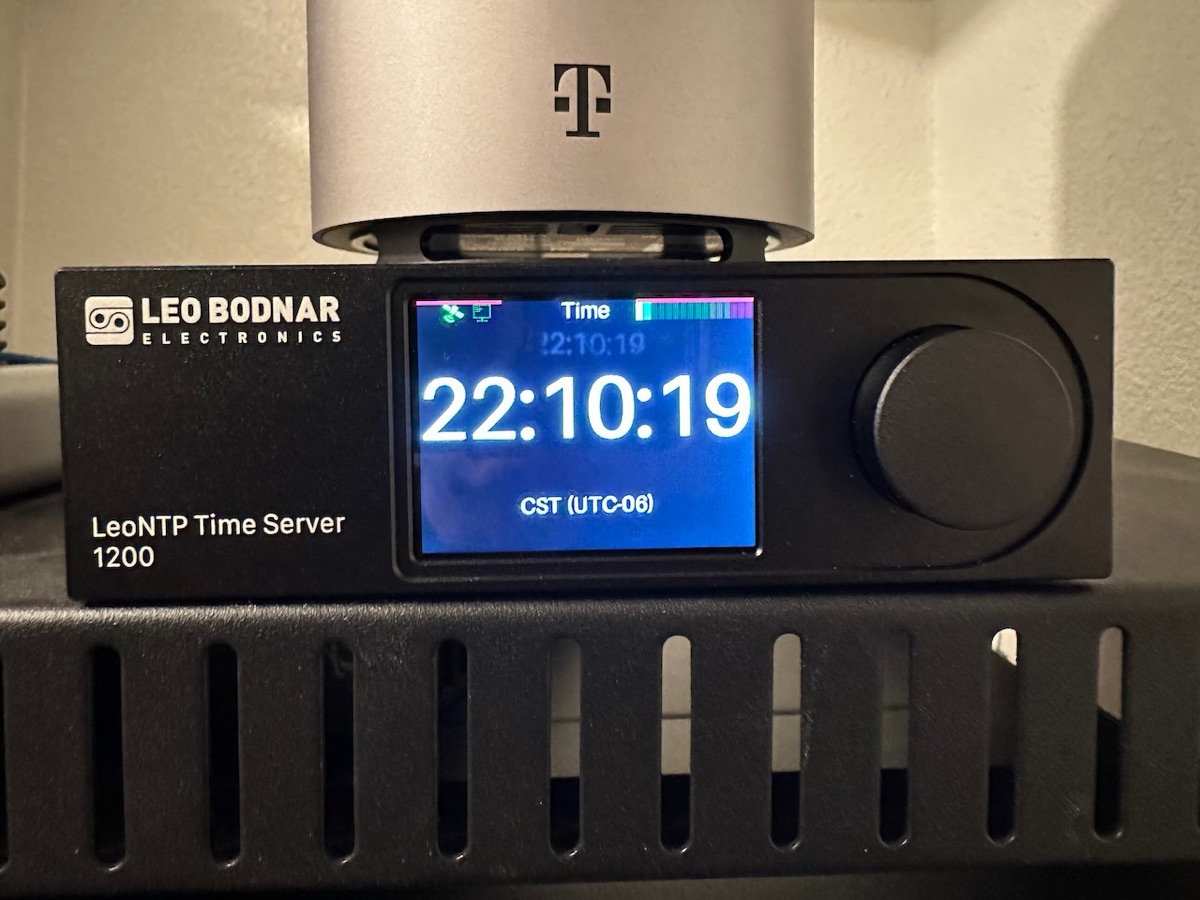
LeoNTP Time Server 1200 · Stratum 1
The LeoNTP is truly an appliance. There is no configuration at all aside from setting a static IP address if you need one. Unlike the other servers, it doesn't even need to connect to another NTP server as part of its sanity check. It doesn't offer reporting, so all we can show you is what the other servers see of it: look for 10.0.50.100 among the peers in any of their reports.
Want to look at your own servers this way? TrueOffset, our app for iPhone, iPad, Mac, and Apple TV, measures your clock against time servers like these, and on the Mac it reads a server's own logs and draws charts in the spirit of ntpviz.
The Inevitable FAQ
Segal's Law: A man with a watch knows what time it is. A man with two watches is never sure.
I thought about writing my own How-To Make a Stratum 1 Raspberry Pi NTP Server instructions, but I quickly realized there are already plenty of good ones. In fact, I used some of them to make my own. So, instead, I decided to write about my interest in accurate time, the path to ridiculous precision and getting this accuracy into the home through GNSS Time Transfer using inexpensive devices. You get a FAQ instead.
Why do I need my own time server?
We have more than a hundred things in the house that want to be connected to the internet and I think it best to limit internet access to those devices that need it and only to the resources they need to have access to (or none at all, as I've done with our TVs that wanted to share viewing data with the manufacturer). As it turns out, many inexpensive devices don't have their own real-time clocks, and get their time from the internet each time they boot (usually using NTP or Simple NTP). If they can't reach a time server, their time will drift, perhaps as much as a minute a day.
The solution to the problem is to have a time server on-site. Let it be the only device in your house that can access public NTP time services (UDP port 123) and force all other devices to use this server. If you already have a DNS server like Pi-hole, you can add NTP to that server at no cost. This will give you time accurate to within two tenths of a second or so.
The more challenging issue is to force all of the devices to use the internal time server. If your firewall's port forwarding rules support it, allow your time server access to UDP 123 and force all other devices to your time server. You may already have a similar rule for DNS.
Companies should also have their own time servers, so that on-site servers are all synchronized to the same time source.
If I needed a simple set-and-forget time server, I'd consider getting a LeoNTP 1200 appliance. I paid about $500 for ours; Uputronics now lists it at £600 (about $713 on its U.S. storefront). It can manage large NTP loads without any command line configuration or ongoing tinkering. It doesn't even need internet access.
What if I want a Stratum 1 NTP time server?
For a home lab, it's easy enough and can be done for under $100. All you need is a Raspberry Pi (ideally Model 4B or newer), a GNSS HAT (I prefer the Uputronics HAT, but Adafruit sell one as well) and an inexpensive GNSS antenna. For best accuracy, this Raspberry Pi should not be running any other services (like a DNS server or a visual desktop). There are several installation demos that I like:
- Although he uses the Adafruit GNSS HAT, Austin's Nerdy Things does a good walkthrough using chrony. A commenter notes the changes needed to use the Uputronics HAT, which IMO is much easier, and worth a few extra dollars.
- The NTPsec team have a Stratum-1-Microserver HOWTO that's very detailed, though a little dated (you will need Python 2 to run their clockmaker script). You should read it, as it gives lots of insight into how the programs work.
- I'd also look at the early (around 2016) days of Raspberry Pi time servers: The Raspberry Pi as a Stratum-1 NTP Server. I wouldn't follow these instructions as much has changed since then, but you'll get a good feel for some of the technical issues that got us where we are today.
After you get your time server up and running, make sure to read the Performance Tuning section of the GPSD Time Service HOWTO for tips on getting the best performance.
What about software? Chrony, NTPsec (or even NTP)?
I don't know that it matters between chrony and NTPsec. Chrony was written from scratch, starting in 1997, has a more rapid release schedule, and there are lots more recent tutorials using it. On a Raspberry Pi, it's almost as simple as apt install gpsd chrony and configuring. Almost.
On the other hand, NTPsec is a 2015 fork of the original NTP software, so its code has been around longer than anyone's; it appears to be more focused on security and shares team members with GPSD.
Most of our servers run NTPsec, and one is trying chrony. The SecureSync uses NTP (the mother of all NTP server software) but I wouldn't choose NTP for my own builds.
I think Network Time Security will eventually become a thing. Both chrony and NTPsec support it and I think it's worth being prepared for it, especially if your business depends on accurate time.
Precision Time Protocol might also become a thing at the consumer level. When I first wrote this page I guessed that in a year or two the hardware and software would align to allow PTP on a Raspberry Pi. They have: NTP6 here is a Compute Module with a Timebeat card, and it speaks nothing else.
How about some things I wish I knew?
- If you're interested in powering your Raspberry Pi time server using Power over Ethernet, we'd suggest getting something that already has GPIO pins on top, so you can plug the GNSS HAT directly into the PoE HAT without having to use extender headers. Something like the Waveshare PoE HAT (B) will make your final device much less bulky.
- Your time jitter will be much lower if the u-blox chip can be put into Fixed (Stationary) Mode and knows the antenna is not moving at all, removing position errors as a source of time error. This can be done with the ubxtool, which is part of most gpsd distributions. I believe jitter can be further improved by performing a survey that fixes the antenna's location to (ideally) less than a meter. Unfortunately, this is only possible on u-blox timing chips, which here means the SecureSync, NTP2 and NTP3.
- Don't connect your time server to your network via Wi-Fi. Ideally connect directly to your main switch. Wi-Fi introduces a lot of jitter that reduces reliability.
- Temperature has a big impact on stability. As the temperature changes, the computer's on-board crystal actually changes how fast it oscillates. Expensive time servers manage this by having little ovens that keep the crystal at a constant temperature. Maybe overkill, but you can help by keeping your computer in stable temperatures, away from drafts and sun. Some people put the computers in insulated boxes to try to limit temperature changes. You can see temperature impact on all of our servers, even the atomic clock. In fact, at certain points, you can see where the oven (OCXO) inside the SecureSync is able to fix temperature precisely for a period, but our house is not a lab and outside temperatures and HVAC impact our frequency stability.
- Getting your devices to connect to your fancy new time server isn't straightforward. DHCP can advise its clients that NTP is available at a certain address, but only higher-end systems support this and many clients ignore it. This means logging in to each device and manually setting the time server IP address is the way to go. Even then, some don't let you change the setting. Maybe half of our devices can be connected to our NTP servers. Worse, if we block port 123, the devices will just do without time synchronization completely and will drift into unusable times. See my comment about port forwarding above.
Why GNSS and not GPS?
This is easy enough to answer. GPS is the United States' Global Positioning System and GNSS represents all global navigation satellite system constellations (the European Union's Galileo, Russia's GLONASS and China's BeiDou in addition to GPS). My installations use GPS and Galileo, sometimes augmented by GLONASS or BeiDou.
Accuracy versus precision versus stability
My interest is in getting the most accurate time possible (currently in the millionths of a second) closest to the “real” time reported by master clocks around the world. Accuracy is how close my time servers are to that goal. But even then, the most accurate clocks in the world don't agree on “real” time and those clocks can differ by about 20 nanoseconds. Even the United States' two major clock references, UTC(NIST) and UTC(USNO), differ by a few nanoseconds to more than 15 in NIST's published comparisons. So, in reality, since our accuracy comes from GNSS Time Transfer, we're looking to be as close to UTC(USNO) as possible, and with our equipment's limitations, despite what's reported, it's likely not better than 50 nanoseconds.
Precision, on the other hand, may have extremely fine-grained results that are actually not all that close to “real” time. In some cases, I think that is what my consumer-grade systems are reporting.
While stability is keeping that accurate time as close to “real” time as possible without a lot of jitter. This is the key attribute our rubidium server contributes.
Ideally, I seek time that is accurate to what GPS time transfer offers, which is within 30 nanoseconds (billionths of a second), 95% of the time. All simply for my amusement.
Odds & Ends
The most accurate time
There are enthusiasts with the equipment and the skills to measure the most accurate time.
LeapSecond.com is an incredible collection of time and frequency measuring equipment along with experiments that prove for the first time, outside a multi-million dollar laboratory, that Einstein's Theory of Relativity is valid.
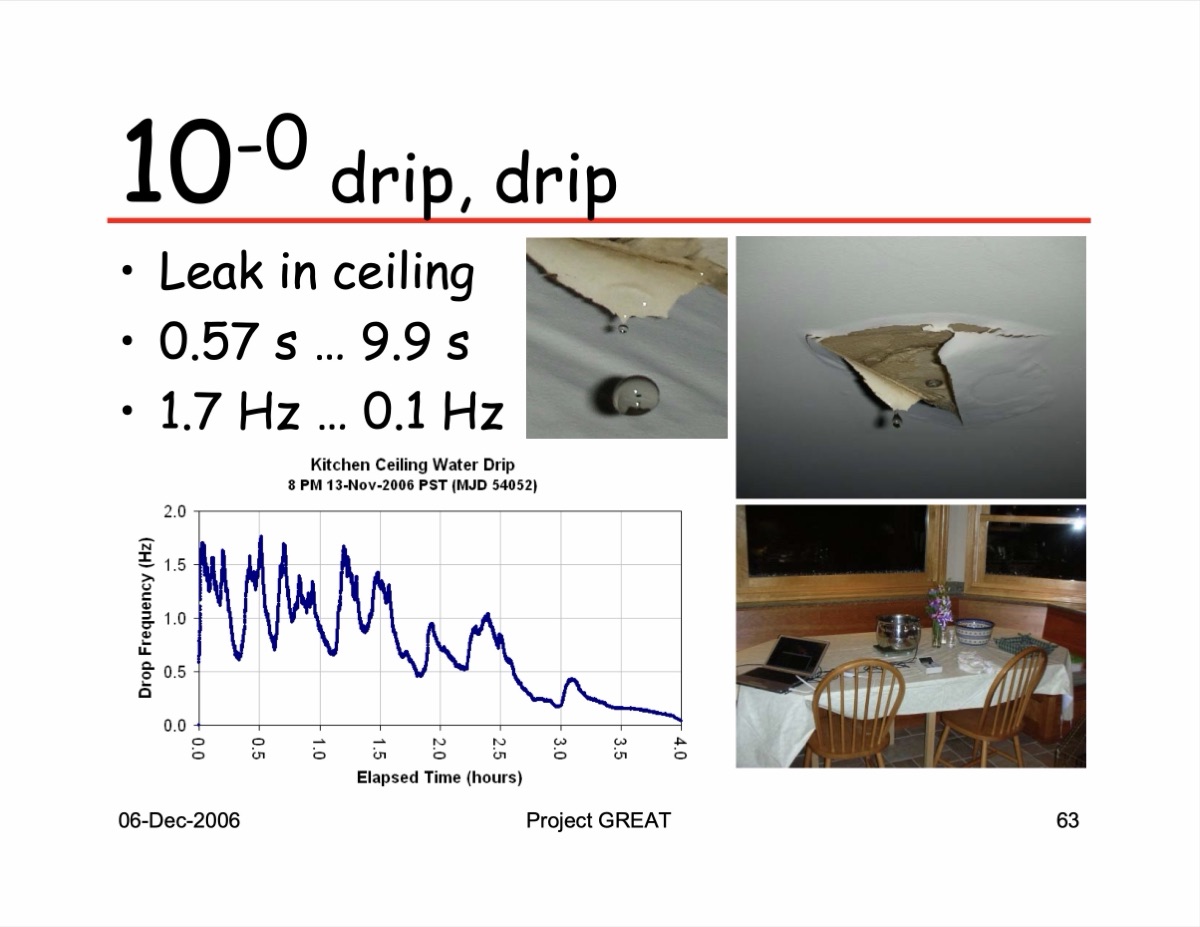
This lovely presentation by Tom Van Baak illustrates increasing clock and frequency accuracy in Clock Powers of Ten, from dripping water through to the most accurate cesium clock. Spoiler: by a large factor, Earth is less accurate than the time we're able to measure. And maybe we'll eliminate leap seconds because of it, all brought on by the possibility of a negative leap second, an IT issue not contemplated by most.
All about time
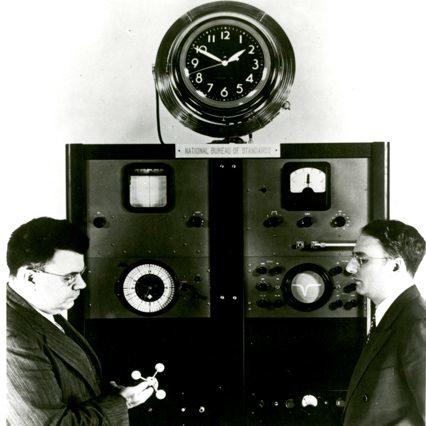
If you want to go deep into time, check out NIST.gov. The National Institute of Standards & Technology maintains the United States master clocks. Are you a time geek? Learn about the strontium clock that would neither gain nor lose a second in some 15 billion years, longer than the universe has existed! Your tax dollars at work.
Visualizing scale
We're talking crazy small numbers here. There are lots of ways to describe a microsecond: it's a millionth of a second or 0.000,001 or 10-6 or 1e-6. But what does that really mean? This TED-Ed talk by Kim Preshoff may help.
Also, visit Clock accuracy in ppm for an interesting technical discussion of various oscillators' accuracy over time. (NIST's cesium fountain clock, NIST-F2, would neither gain nor lose a second in about 300 million years.)
Millisecond vs microsecond vs nanosecond
Another way to conceptualize incredibly small numbers: Gary Explains makes it easy to visualize these small numbers in relation to the speed of light. Grace Hopper's appearance on David Letterman is thrown in for good measure. If you like this video, you might as well watch the sequel: How Computers Synchronize Their Clocks - NTP and PTP Explained.
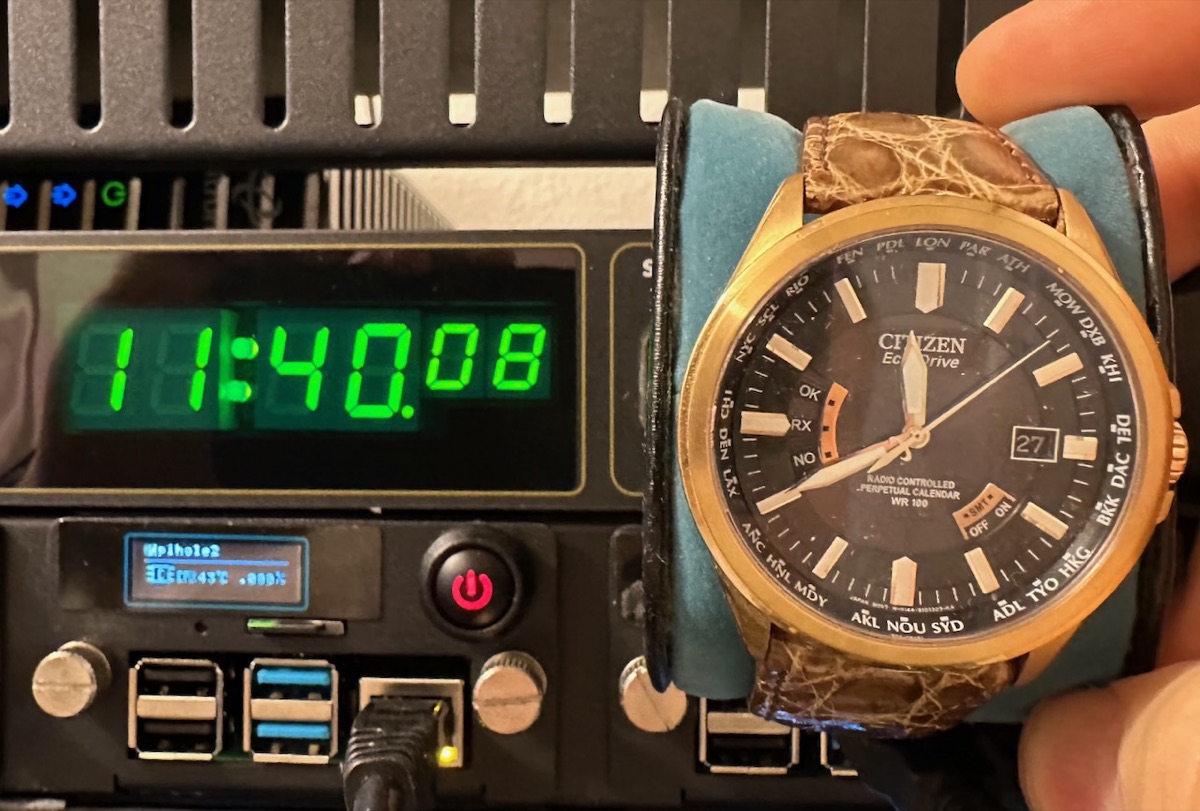
My interests are perhaps more simple. I just want all of my clocks and watches to match! I took these watches outside for a few hours to let them charge. Overnight, the Citizen radio controlled watches all got in sync (too bad about the Seiko and Oceanus). I love how the second hands all align (and that they match our atomic clock)!

Some NTP Clocks
What good is all this precise time without some way to display it?
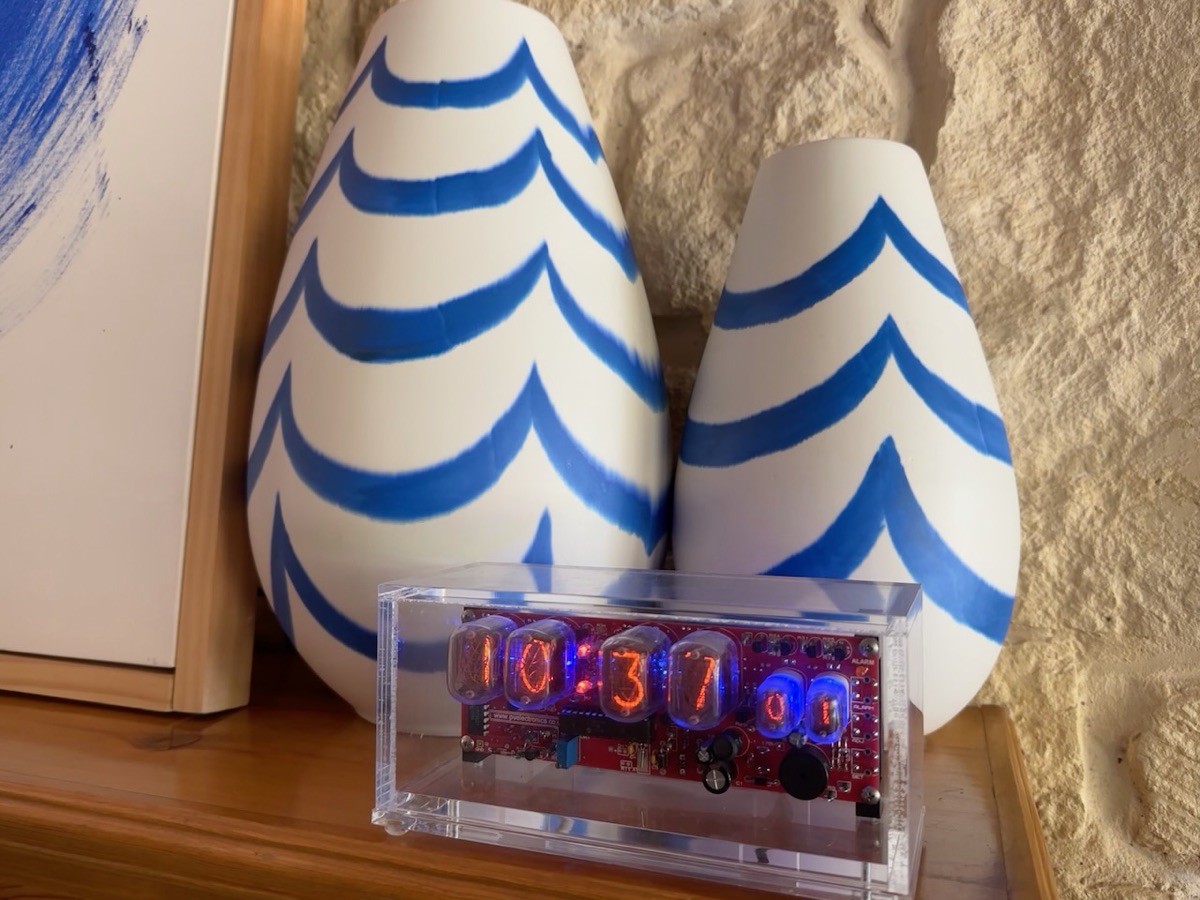
A simple nixie clock
This is an older PV Electronics nixie clock that has a PS/2 GNSS input for timekeeping. I struggled for years between putting the clock where I wanted and keeping the GNSS antenna with a clear sky view. Finally, I found the Azevedo Devices nwts NTP client. It's brilliant! It's powered by the clock itself and connects to our time servers by Wi-Fi to keep the clock on time. It even automatically corrects for Daylight Saving Time. All I had to do was solder it together and figure out the pinouts from the 3.5 mm jack current clocks use.
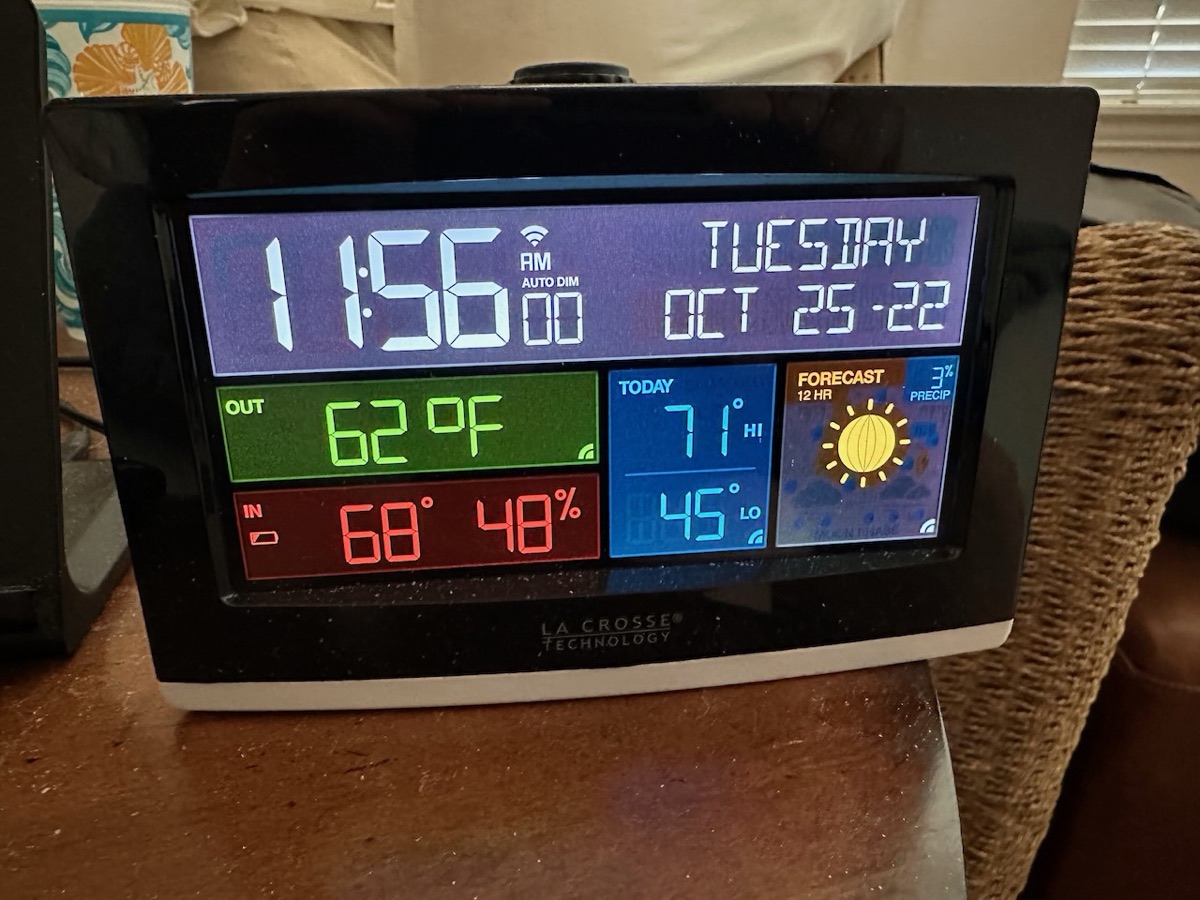
A projection bedside clock
I guess a lot of people can't get this La Crosse Technology Wi-Fi Projection Weather Station and Clock to work, as there are lots of returns on Amazon, but I think it's really good. It connects to our time servers by Wi-Fi, it clearly projects the current time on the ceiling and it's able to dim itself at night. (You'll need to go to their website to figure all of this out.) And it gives the weather too: more than I need, but the best I've found. It replaced a projection clock that would get time signals from WWVB.
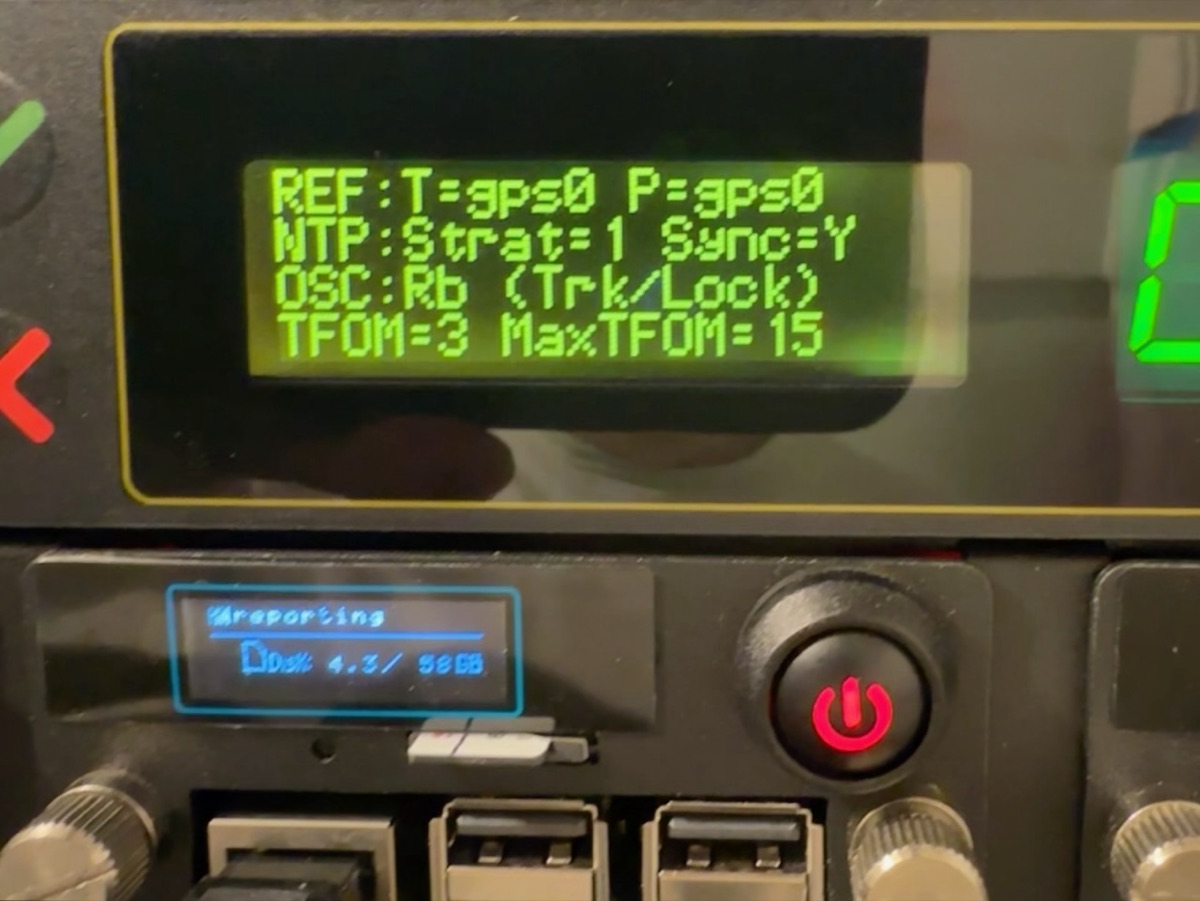
A real atomic clock!
Our vintage 2016 Spectracom SecureSync is a real atomic clock. Although it gets its time from GNSS like all of our other time servers, it uses rubidium's properties to discipline the clock and make it much more stable than the crystal oscillators on our other servers. Its GNSS receiver is a u-blox M8T, the same family as the timing receiver on NTP3. When not connected to GNSS, it is rated to stay within one microsecond after a full day on its own.
Standalone NTP
The LeoNTP Time Server 1200 is unique in that it doesn't require an internet connection to work. All of our other time servers need to connect to other time servers to get the time, even when connected to GNSS. This is as simple as NTP gets. Plug it into the network and point clients to it. You'll never have to think about it again.
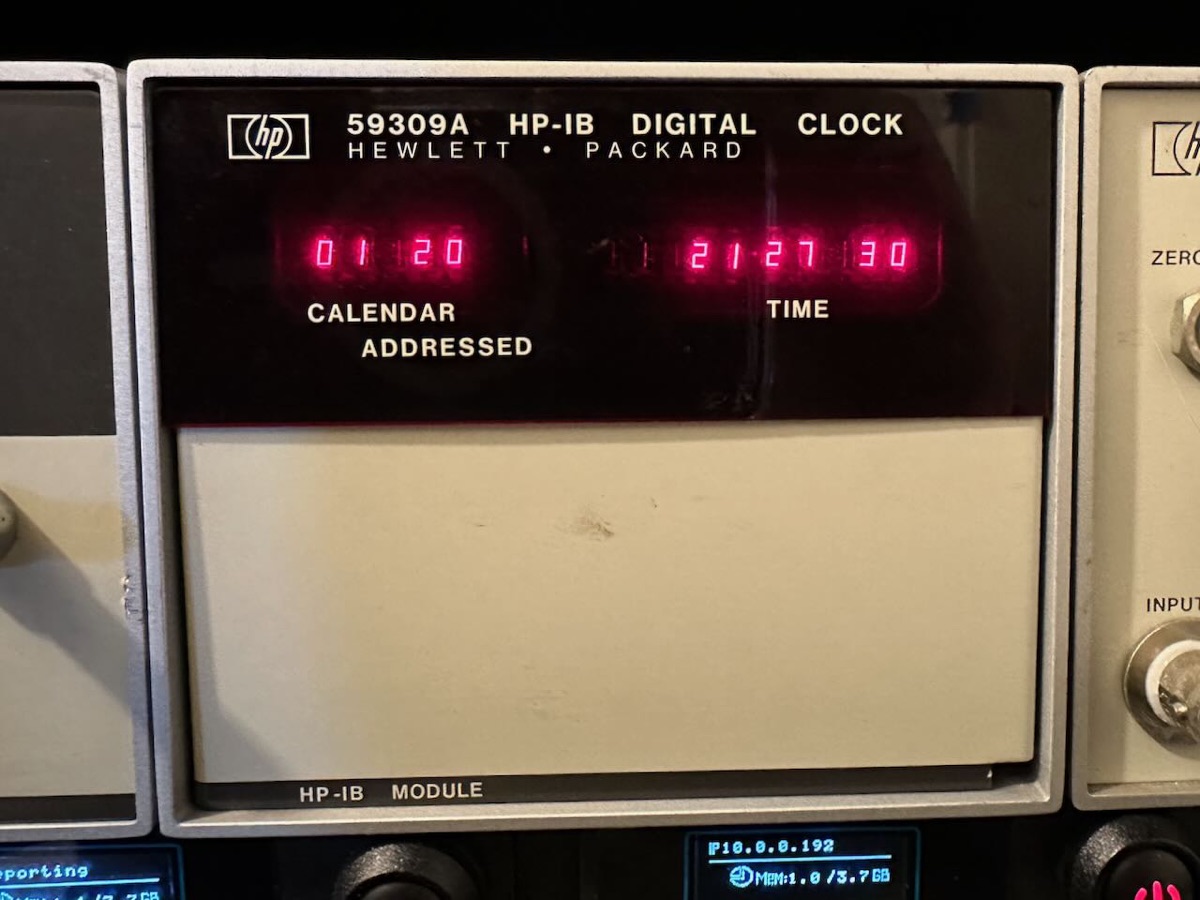
Not an atomic clock
When this Hewlett-Packard HP 59309A was new, some fifty years ago, it was able to keep time to within one minute a month. Now, with help from our atomic clock, it receives a signal that helps it keep time as accurate as our newest clocks. Also in this rack, I have the K10 5992A Standby Power Supply, 59303A Digital to Analog Converter and K34 59991A Phase Comparator.
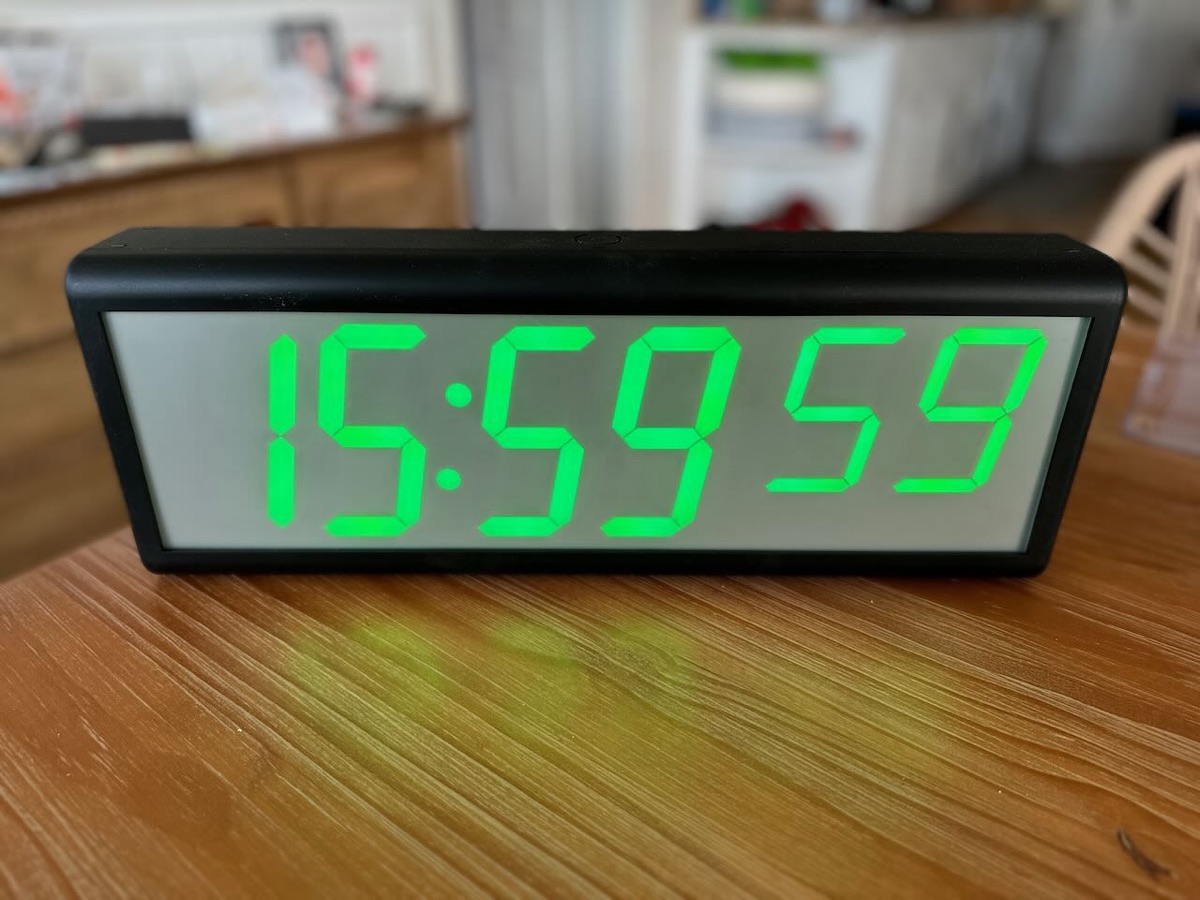
An expensive PoE NTP clock
Many sellers offer variations of this NTP clock with power over Ethernet. It's designed for schools, hospitals and factories and comes with its own proprietary software that can configure many of these in your facility all at once. If you don't need that functionality, it seems expensive to me and I could have built something fancier for less.
Watches
Here are some watches I've collected that set time either by radio or Bluetooth. I got most of these in Japan and have the manuals I can't read to prove it.
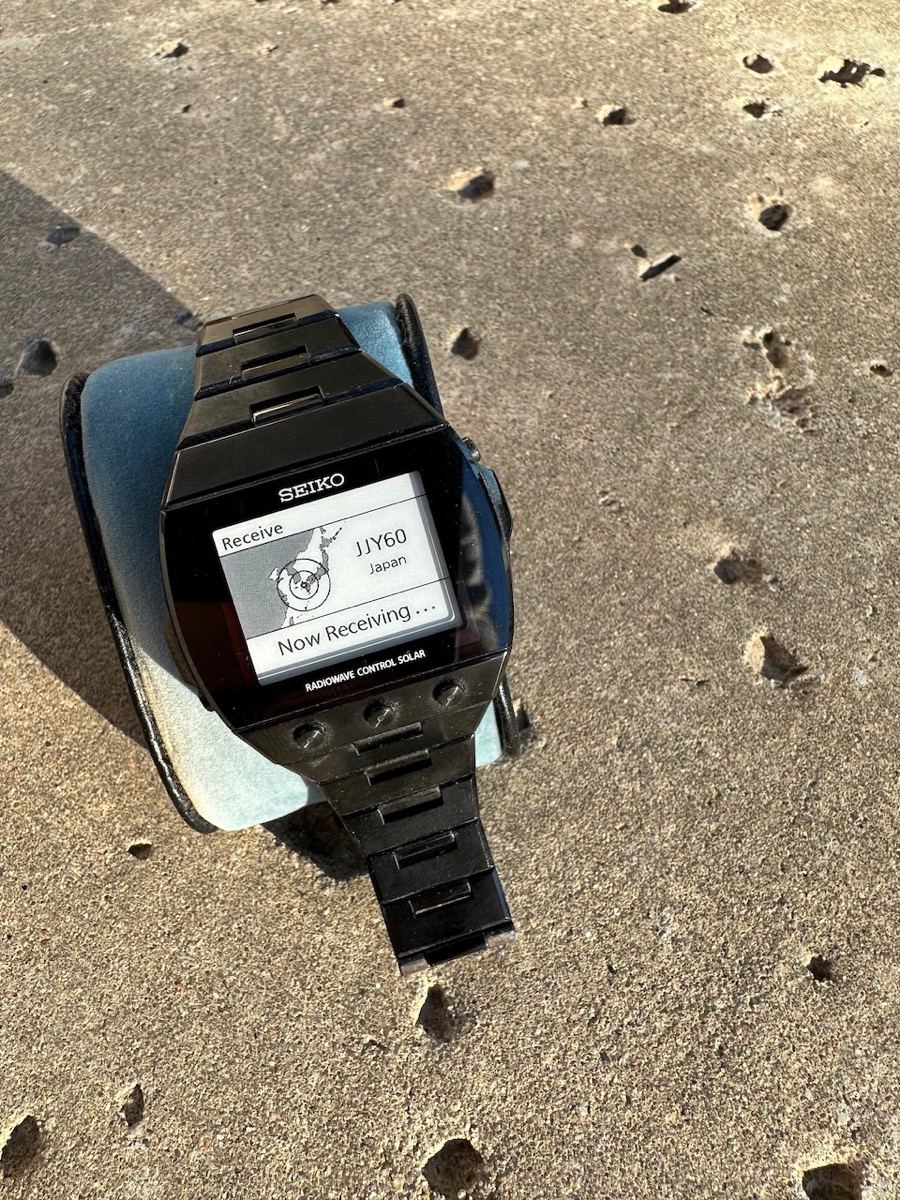
This retro radio watch was way more expensive than you'd think
In 2010, Seiko brought us the Radiowave Control Solar SDGA003 watch that looked like a Casio G-Shock knock-off, but was packed with technology. It had a super-legible e-ink display, titanium body and like the other radio watches, could use WWVB to sync time. Although screen refresh was slow, there were several faces and it is a fun watch to wear and gets comments even now.
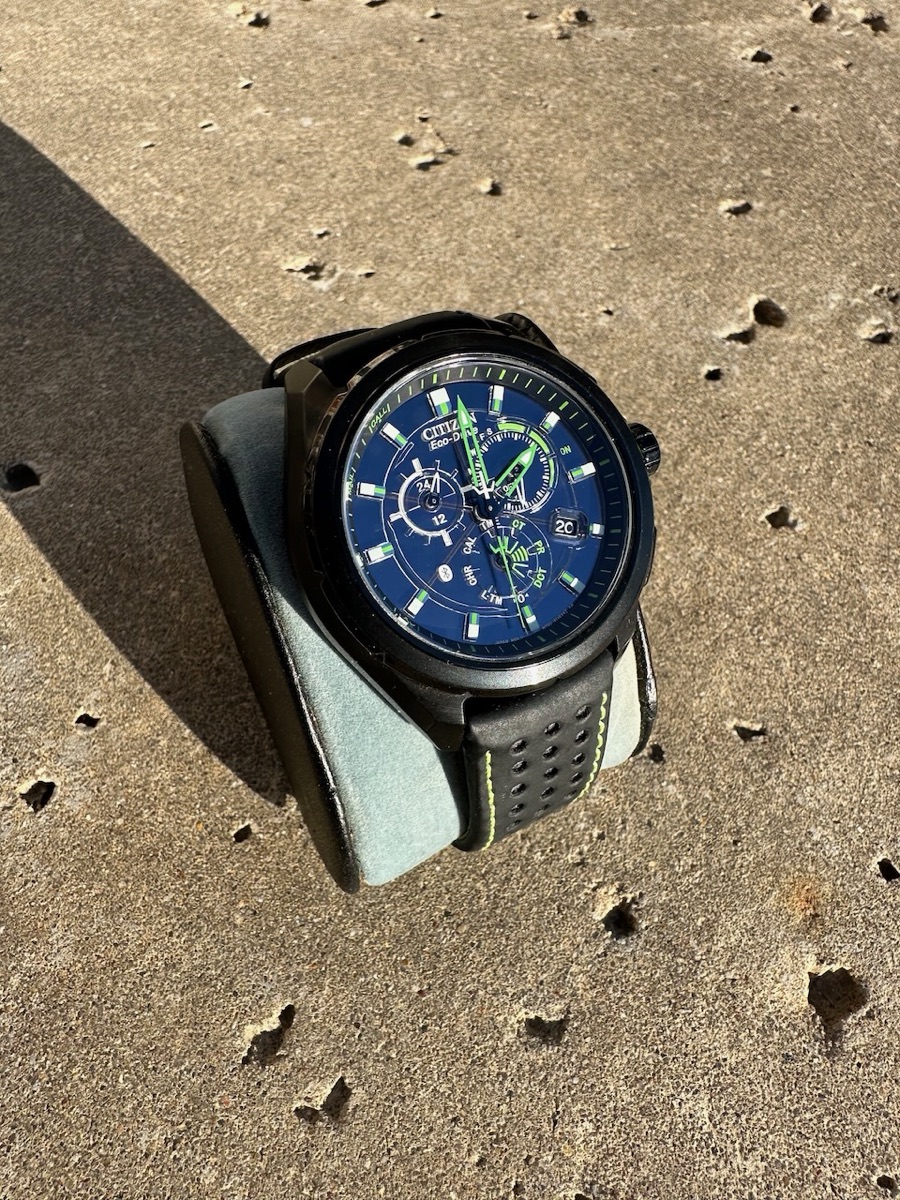
A watch set with Bluetooth
This Citizen W760 (circa 2012) was innovative for the time. It used a Bluetooth LE connection to your iPhone (4s only) to maintain time, run the perpetual calendar and notify you when the phone rang. Without being connected to the phone, accuracy was expected at 15 seconds a month. Of course back then, even the phone's time wasn't all that accurate, so maybe what's the point?
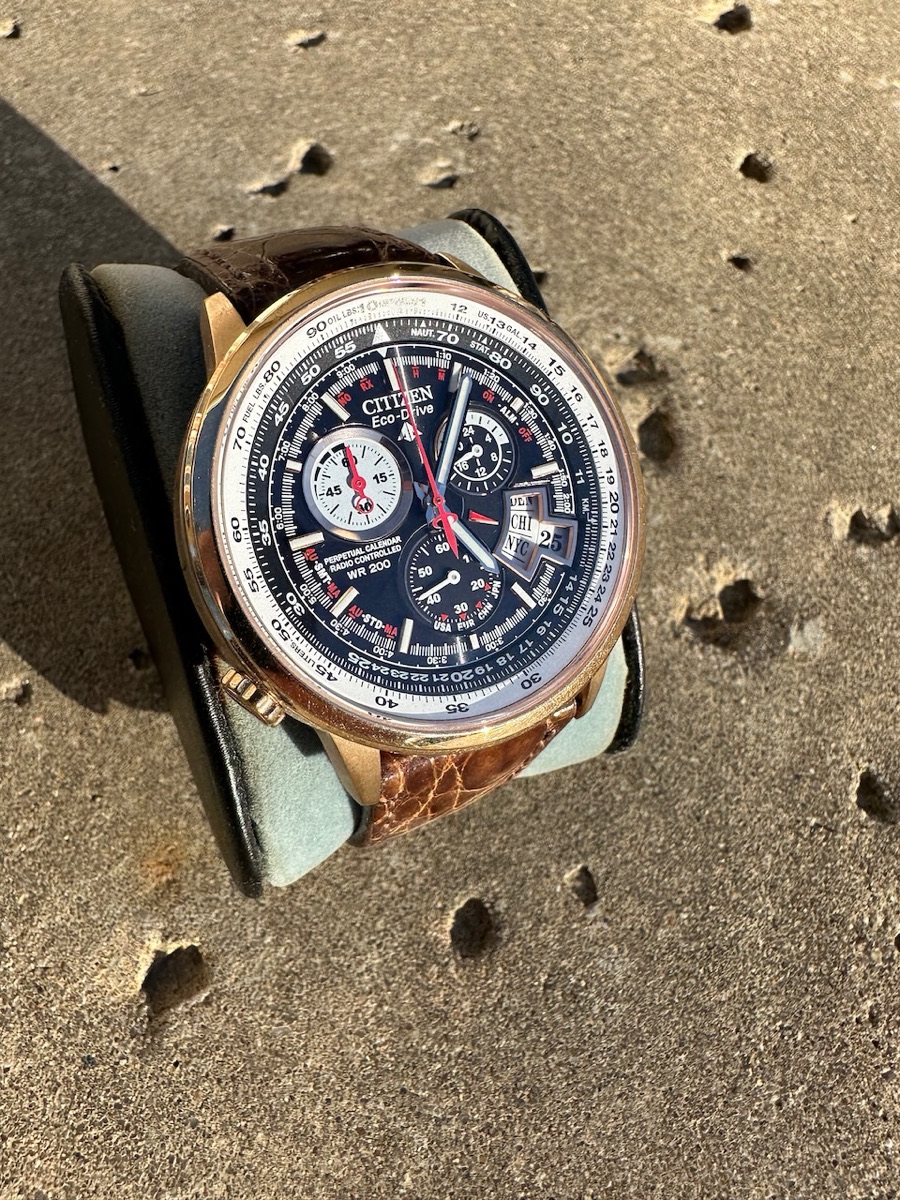
One of my favorites
This limited edition of 2500 radio controlled Citizen GN-4W-S-12G has an easy-to-set second time-zone function. I thought it looked sharp with the gold-tone stainless steel and crocodile band.
Inexpensive radio controlled watch
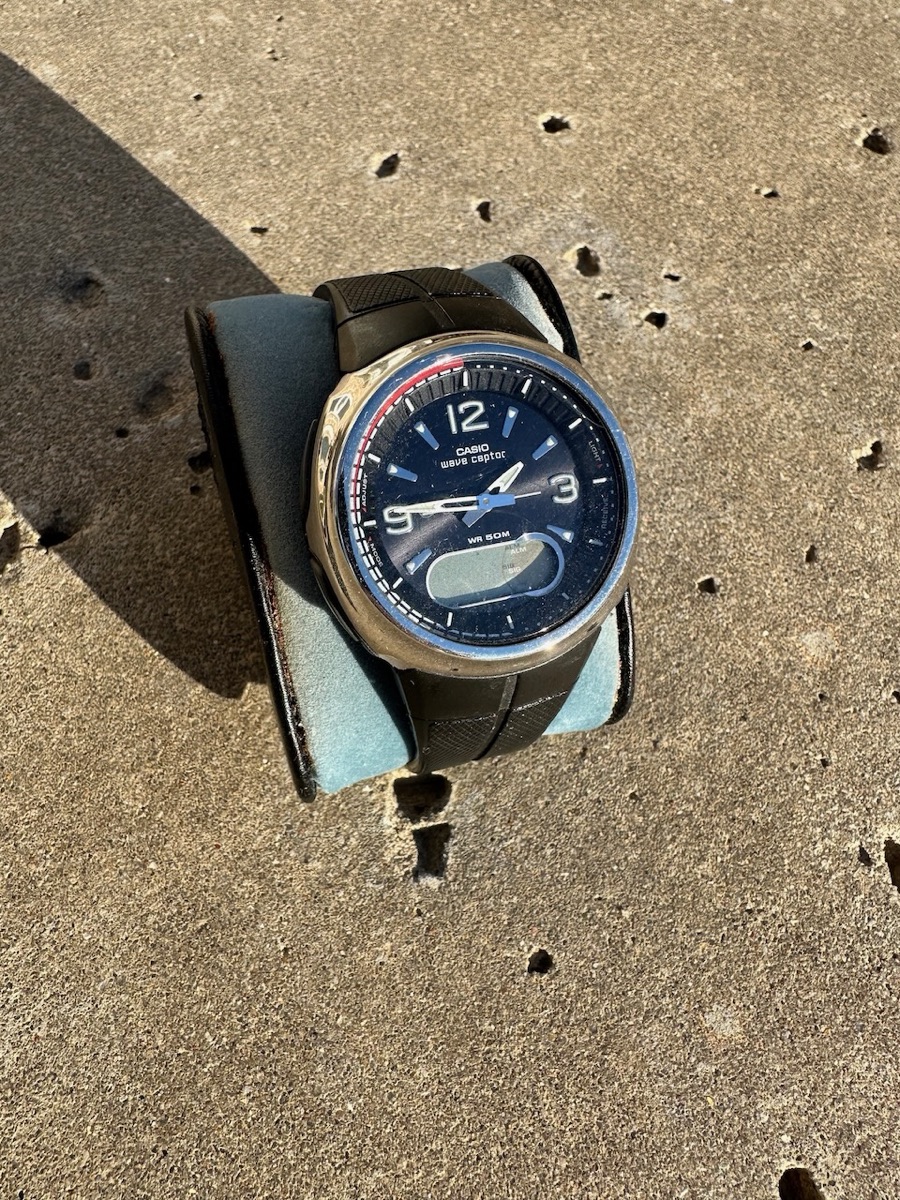
The most striking thing about this Casio Waveceptor is the price, which was well under $100. It tried six times a day to set itself to WWVB in Fort Collins, Colorado, or its equivalent radio stations in Japan and England. Unfortunately, its battery needs to be replaced, so I don't know if it still works.
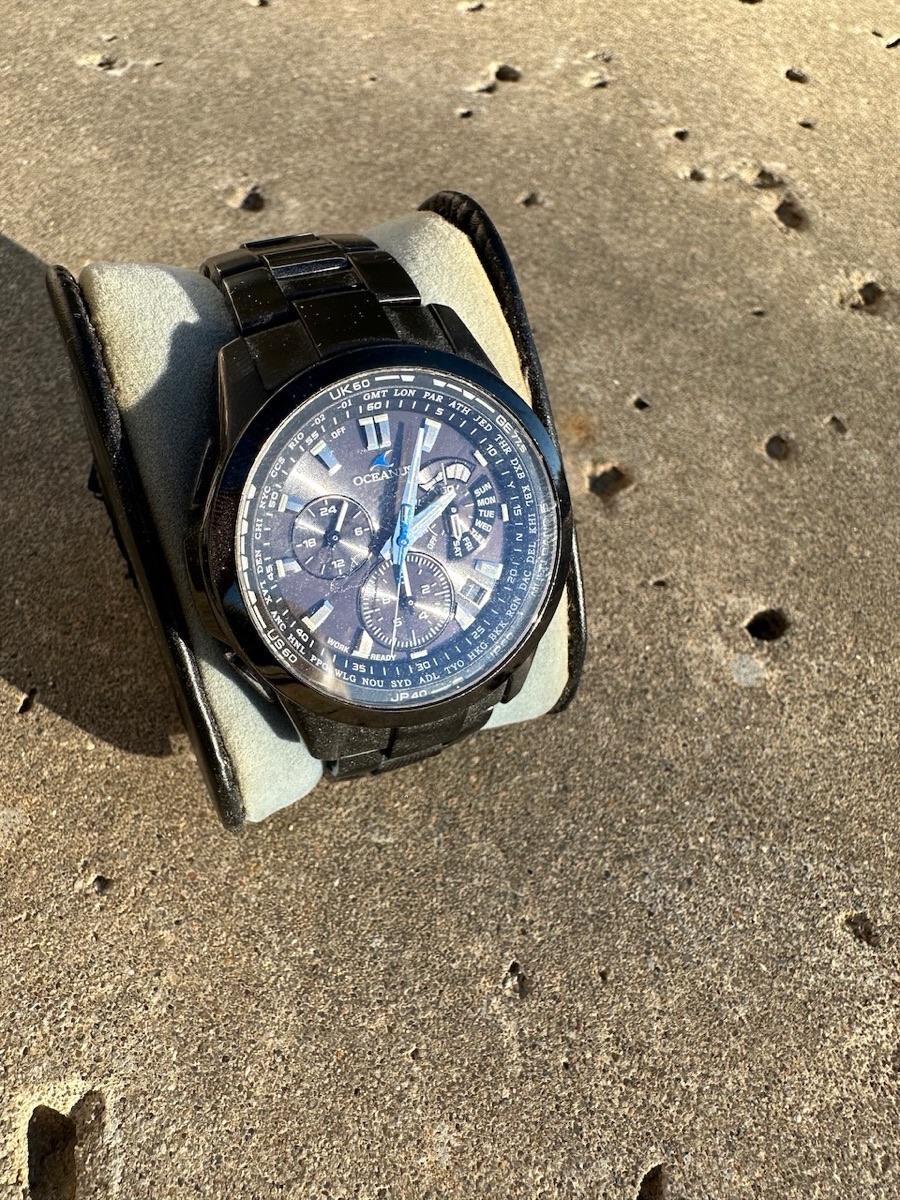
But don't worry: Casio fixed the price problem with an entry from their high-end Oceanus line.
Does everything the Casio does at ten times the price
The Oceanus OCW-M700 took the Casio Waveceptor concept and added solar charging, a titanium body and sapphire crystal and sold it for ten times the price of the Casio. The used market has taken care of that and this Oceanus can now be had on eBay for the price of the Casio.
On top of all its downsides, it never got a good radio signal.
These days, it seems like I only wear an Apple Watch, but I have a soft spot for Swiss watches.
IWC Fliegeruhr UTC
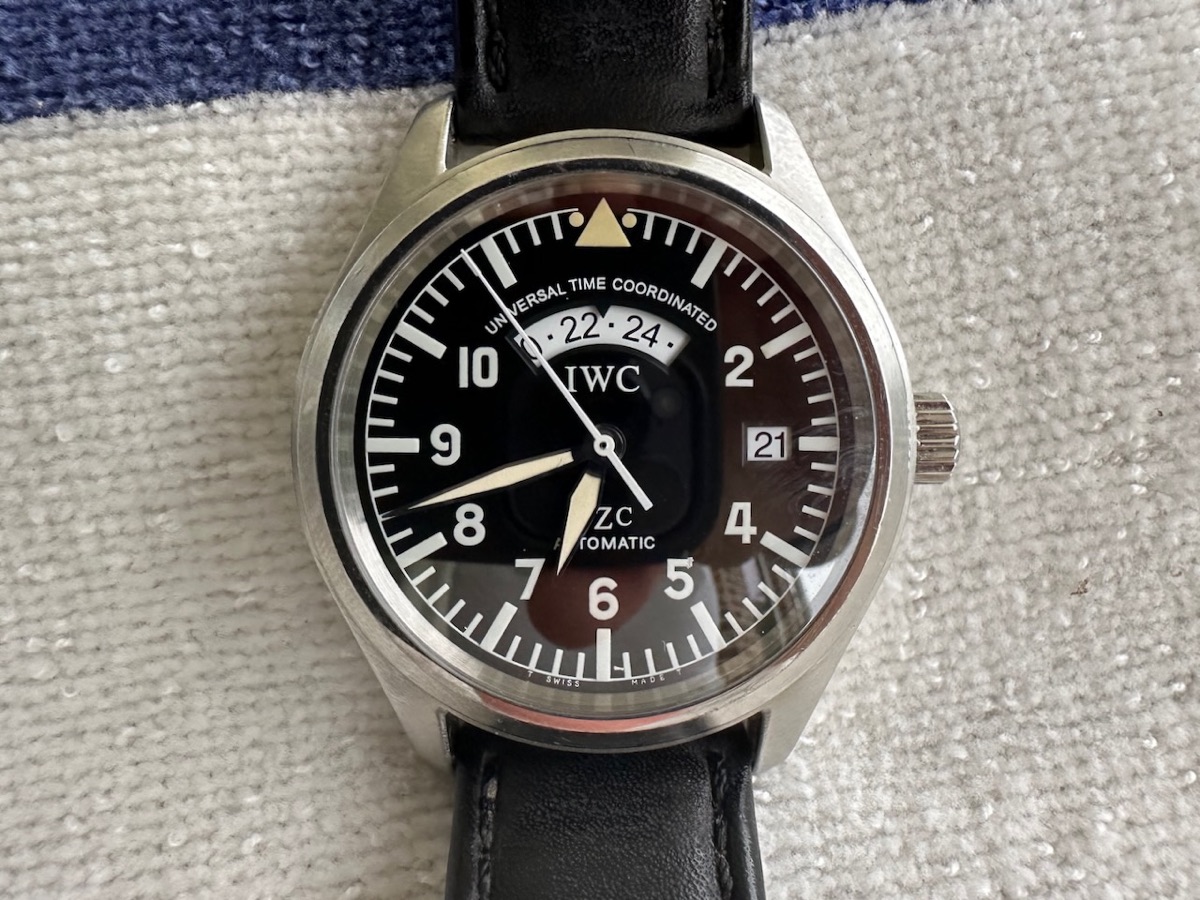
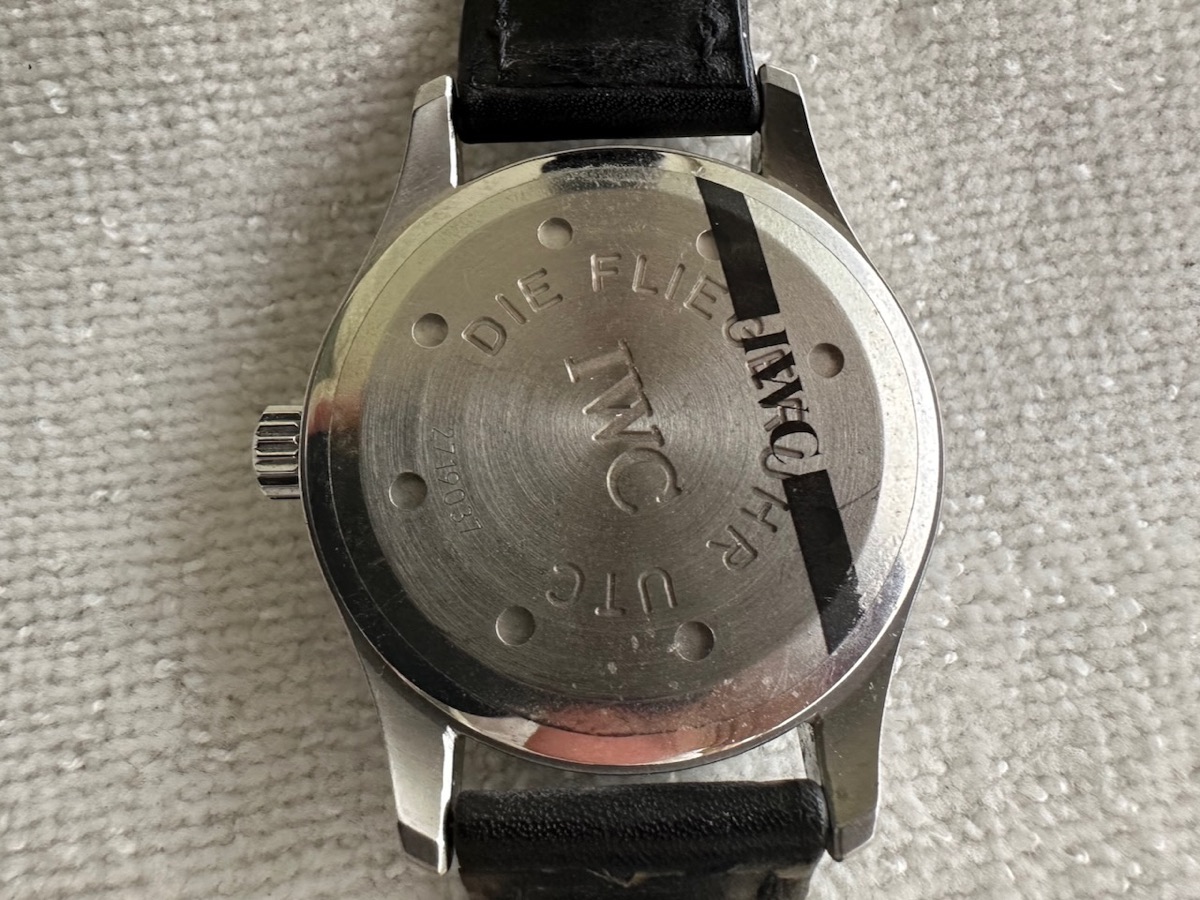
I've had this watch for more than twenty years and it's always my go-to. It is an extremely practical design, allowing a standard time in the UTC window and easily moving the hour hand backwards or forwards to new time zones. And it's automatic, so you don't have to remember to wind it. It's been in for service twice and I've always missed it while it's been away. We went to visit the IWC museum and this model was featured at least three times!
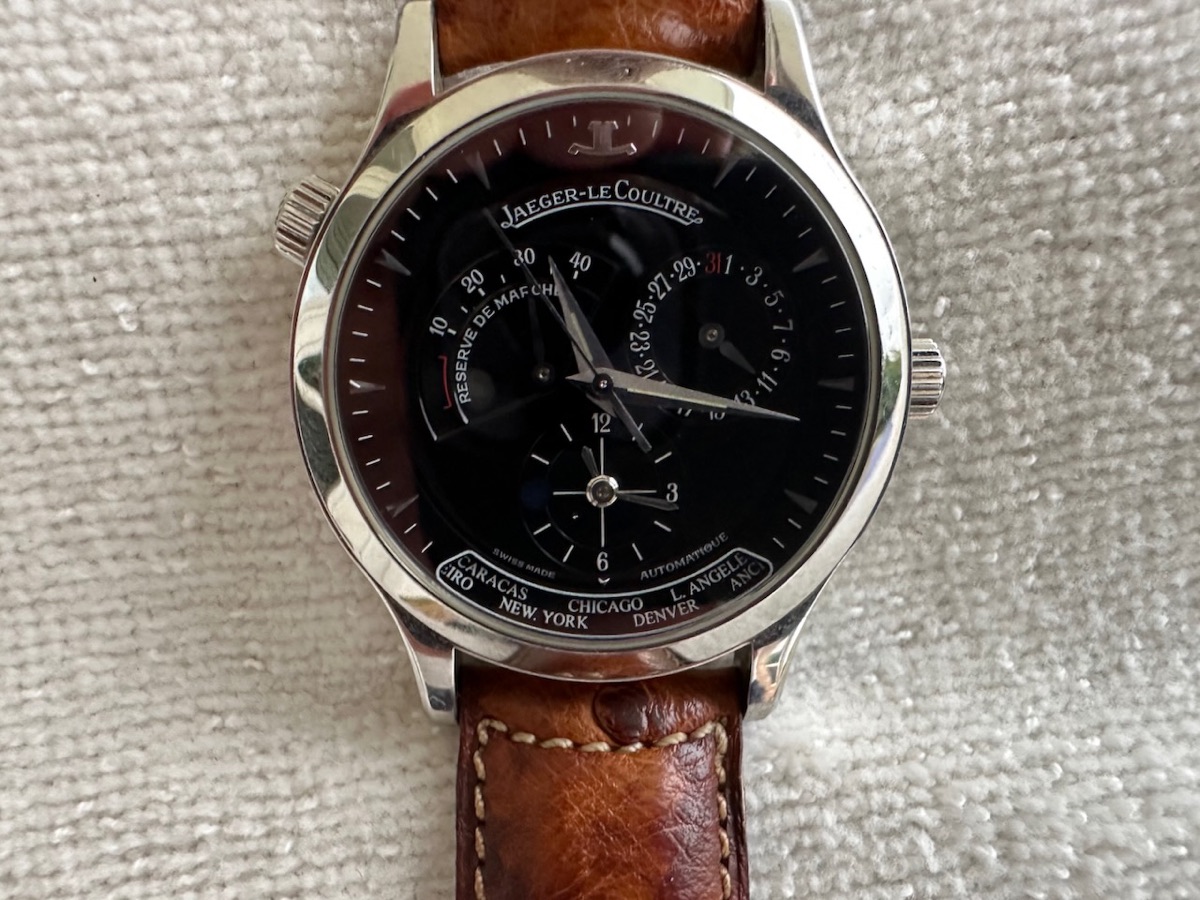
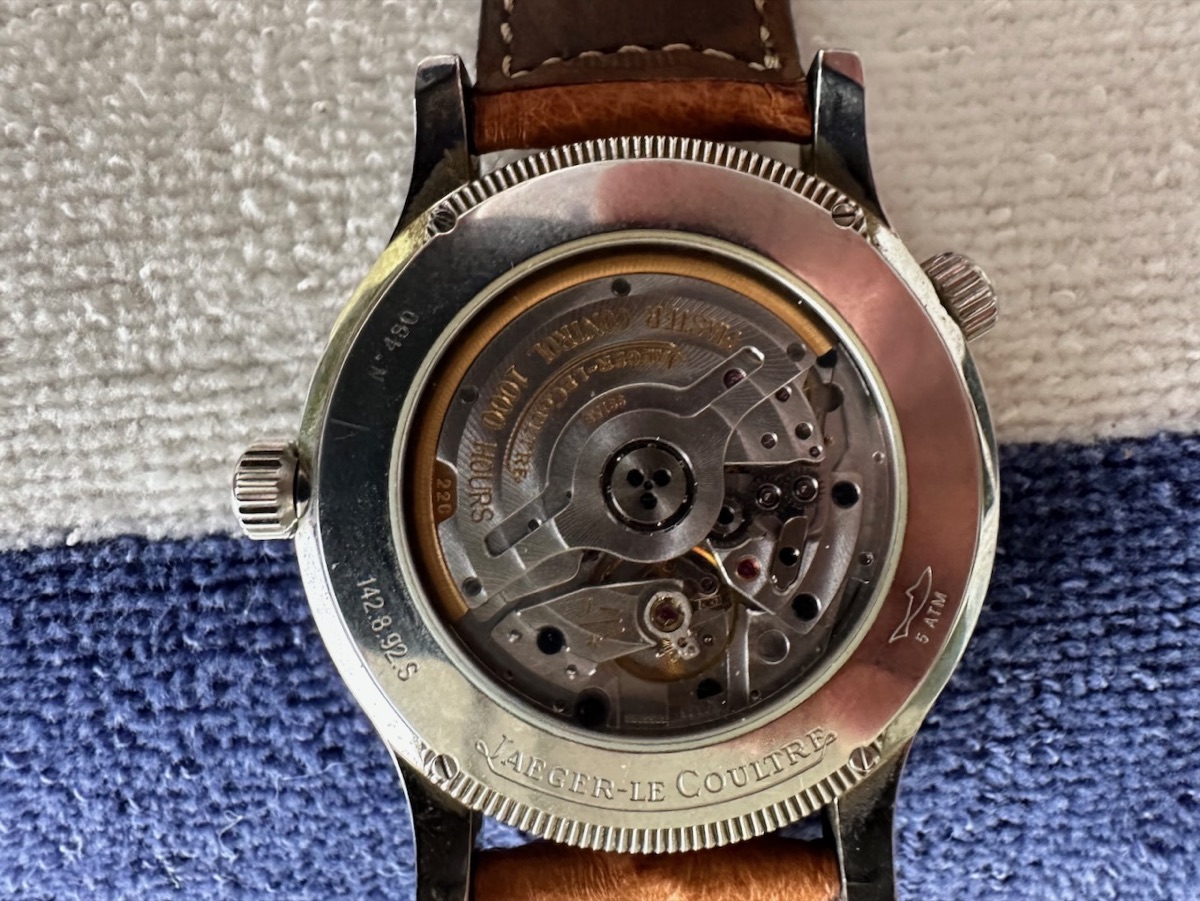
Jaeger-LeCoultre Master Geographic 142.8.92
I thought I wanted a Reverso, but this does just fine. Another automatic watch I've enjoyed over the years. I felt it was too formal for everyday use, but enjoyed flipping it over and watching the movement.
Note that I have a thing for dual time zone watches? The second time zone was easy to set by selecting the city in the bottom window, and viewable in the small clock face on the southern part of the dial.
Other Interests
Aside from watches and time, I do have some other interests.
Weather forecasting & air quality
Not happy with local weather forecasts, I decided to leverage my desire to put excessive accuracy into things that aren't all that accurate or predictable and learned more about how to forecast for my own microclimate. The results have been variable, but the weather station's current conditions, at least, are highly accurate.